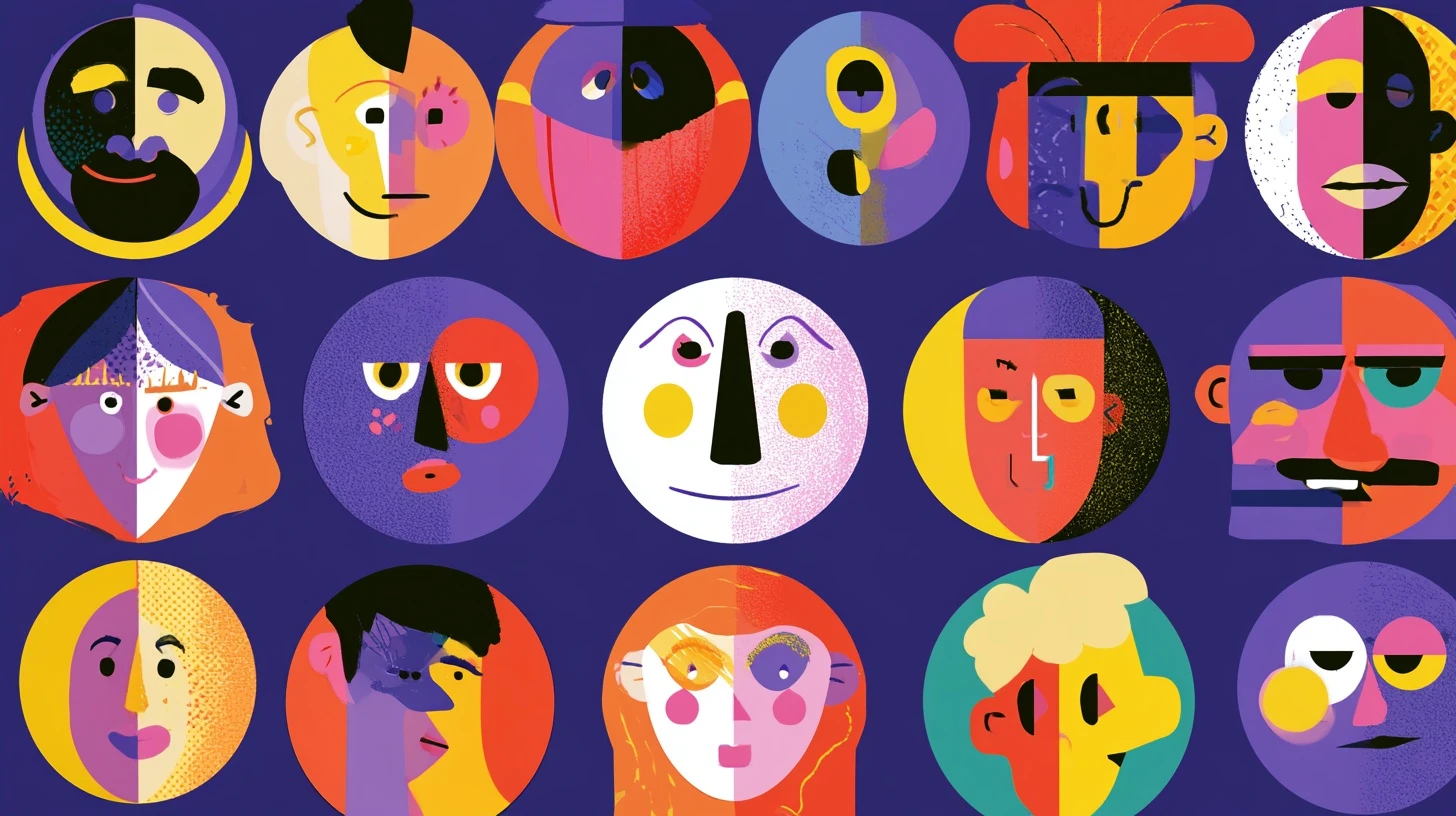
A funny avatar does something a cool one can’t: it makes people reply to you. In a busy server, the profile picture is the only thing distinguishing your message from two hundred others, and humour reads faster than aesthetics at 32 pixels.
This guide covers what actually works as a funny Discord PFP, categories to pick from, and the design constraint that kills most funny avatars before anyone sees the joke.
The 32-pixel problem
Start here, because it decides everything else.
Your avatar renders at 32–40 pixels in the message list and member list. That’s smaller than most people picture. A screenshot of a funny tweet, a meme with a caption, a detailed cartoon panel — all of it becomes an unreadable smudge at that size.
Funny avatars that work share one property: the joke is in the shape, not the detail. An exaggerated facial expression reads at 32px. A punchline in text does not.
Test before you commit: shrink the image to 32×32 and look at it. If you can’t tell what’s happening, nobody else can either.
Categories that work
Exaggerated expressions
A single face with an extreme expression — confusion, deadpan stare, exaggerated smugness — is the most reliable funny avatar. One subject, high contrast, instantly readable small.
Cursed crops
An ordinary image cropped to an absurd detail. A cat’s nose filling the entire frame. One eye. The corner of a mouth. The humour comes from the framing, and framing survives downscaling perfectly.
Deliberately low effort
A crude MS Paint drawing, a stick figure, a single badly-drawn shape. The anti-aesthetic reads as confident rather than lazy — and crude drawings are high contrast by nature, so they scale beautifully.
Animals doing human things
A dog in sunglasses, a cat mid-yawn, a frog looking unimpressed. Universally readable, no context needed, and animal faces are exactly the kind of single high-contrast subject that works small.
Mundane objects
A single potato. A traffic cone. A slice of bread. The joke is the flat refusal to have a normal avatar, and simple objects have simple silhouettes.
Ironic formal
An oil-painting portrait, a corporate headshot, a Renaissance figure — used by someone who is clearly not any of those things. Portraits are already composed for small reproduction, so they read well.
Matching pairs
Two friends with halves of one image, or the same character in two states. Only works if you’re both in the same servers, but it lands well when you are.
Funny PFP ideas by server type
| Server | What lands |
|---|---|
| Gaming | Rage-quit faces, in-game screenshots of something going wrong, character portraits mid-death |
| Study / work | Exhausted animals, coffee cups, anything expressing quiet despair |
| Art | Deliberately terrible drawings — the contrast with skilled work is the joke |
| Anime | Screencaps of absurd expressions rather than beauty shots |
| Music | Album covers recreated badly, or a single instrument in a strange place |
| General chat | Cursed crops and mundane objects — no context required |
Anime funny PFPs
Anime avatars dominate Discord, and the funny end of that spectrum works on the same principle: expression over detail.
What reads at small size:
- Chibi and super-deformed art — large heads, simple shapes, exactly right for 32px.
- Extreme reaction faces rather than composed portraits.
- High-contrast character designs with strong silhouettes.
- A single character filling the frame, not a group shot.
What doesn’t: detailed key art, group compositions, dark scenes, and anything where the character is small in frame.
Making your own
Four steps that cover almost every case:
- Start square. 1024×1024. Discord crops to a circle, so about 21% of the corners will be lost — keep the subject centred.
- Crop tight. Whatever the joke is, get closer. Almost every funny avatar improves by cropping in further than feels natural.
- Push contrast. Raise it more than looks right at full size. At 32 pixels, contrast is the only thing carrying the image.
- Shrink and check. View at 32×32. If the joke survives, upload it.
Full technical specs — dimensions, file size caps, format rules — are in our Discord PFP size guide.
What to avoid
- Text-based jokes. Unreadable below 64px. The most common mistake by far.
- Meme screenshots. Too much information in too little space.
- Dark, low-contrast images. They turn into a grey circle.
- Anything genuinely offensive. Shock isn’t humour, and it gets you removed from servers and reported to Discord.
- Real people who didn’t consent. Using a photo of someone you know as a joke avatar is harassment, not comedy.
- Flashing animated avatars. They’re genuinely harmful to people with photosensitivity, and most servers will ask you to change.
Animated funny avatars
With Nitro you can use a GIF. Comic timing is a real advantage — a delayed reaction or a slow zoom lands in a way a still can’t.
Keep it restrained: a short loop, gentle motion, and nothing strobing. A constantly flashing avatar reads as annoying rather than funny, and people mute or block over it.
Changing your avatar
- Click the gear icon beside your name to open User Settings.
- Go to Profile (or My Account).
- Click your current avatar and choose Upload Image.
- Select your file and adjust the crop.
- Click Apply, then save changes.
Discord limits how often you can change your avatar in a short window. If the option greys out, wait a few minutes.
Related guides
- Discord PFP size — exact dimensions and crop rules.
- Discord PFP grabber — view and download any avatar.
- Discord PFP viewer
- Discord PFP downloader
- Anime profile pictures
Frequently asked questions
What makes a good funny Discord PFP?
One subject, high contrast, and a joke that lives in the shape rather than in detail or text. It has to work at 32 pixels, because that’s where people will actually see it.
Can I use a meme as my Discord profile picture?
You can, but most memes fail at avatar size — they carry their joke in text or in a multi-panel layout. Crop to the single funniest face instead.
Do I need Nitro for an animated funny PFP?
Yes. Animated GIF avatars require an active Nitro subscription. Without it Discord shows a single frame.
How often can I change my Discord PFP?
There’s a short rate limit on rapid changes. If the upload option is greyed out, wait a few minutes and try again.
Why does my funny PFP look bad on Discord?
It’s almost always too detailed or too dark for 32-pixel display. Crop tighter and increase contrast.

Leave a Reply