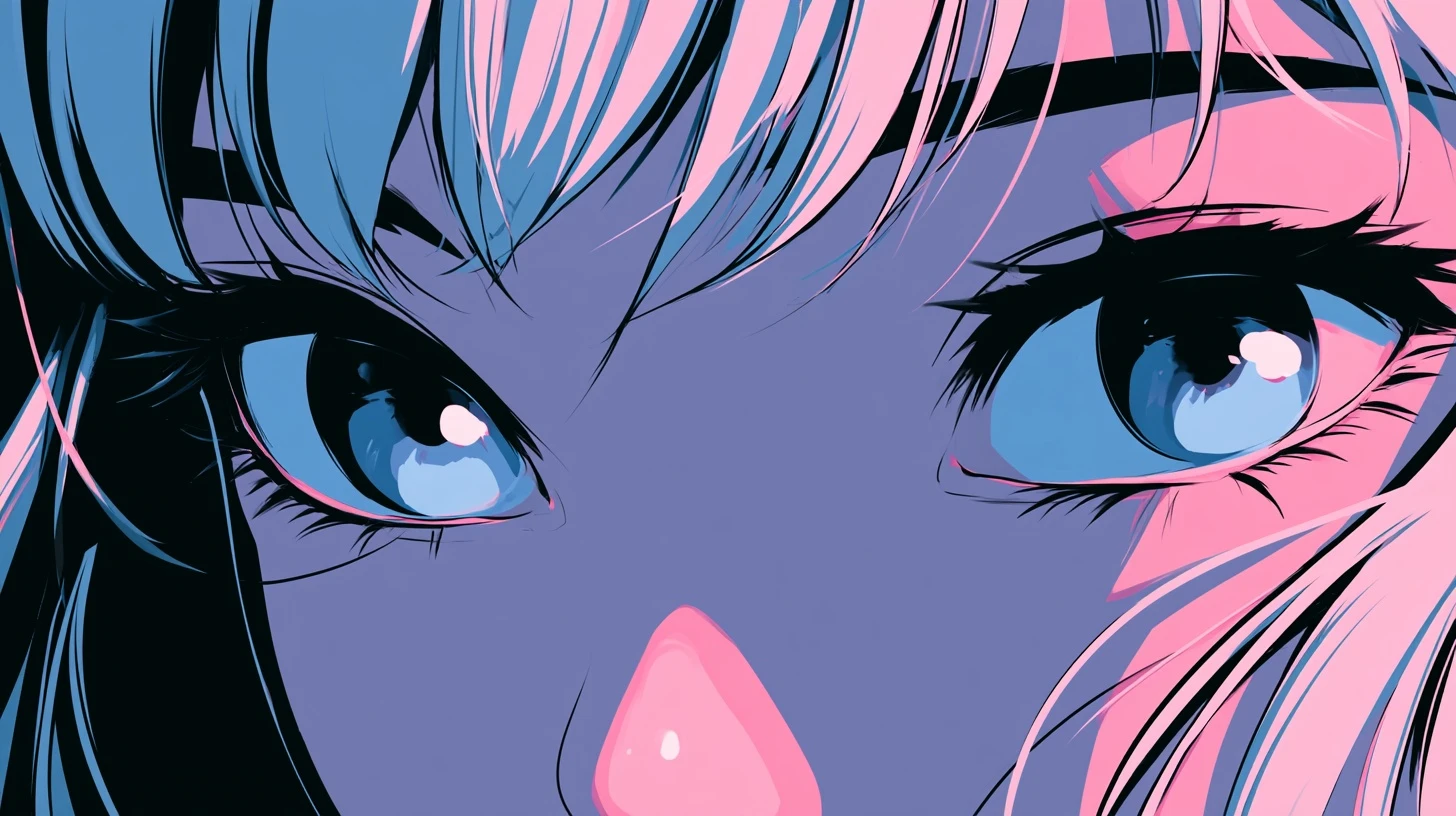
Anime art is unusually well suited to profile pictures, and it isn’t an accident. The visual conventions of the medium — large eyes, bold outlines, flat colour, expressive hair silhouettes — happen to be exactly the properties that survive being displayed in a 40-pixel circle. This guide covers which anime DP styles work, how to pick one, and the copyright question most guides ignore entirely.
Why anime works so well as a DP
Large eyes. The single biggest factor. Eyes are what the human visual system locks onto, and anime eyes remain visible at sizes where photographic eyes have vanished entirely.
Bold outlines. Line art creates hard edges. Hard edges survive both downscaling and compression; soft photographic gradients don’t.
Flat colour. Large areas of unbroken colour compress cleanly and stay recognisable when detail is gone.
Distinctive hair silhouettes. Anime character design leans heavily on unique hair shapes, which means the outline alone is often identifiable — useful when that’s all you can see.
Anime DP styles
Close-up portrait
Face filling the frame, cropped at the shoulders. The most reliable option: maximum face, minimum wasted space.
Chibi and super-deformed
Exaggerated proportions with an oversized head. Purpose-built for small display — the head occupies most of the frame by design.
Aesthetic soft
Pastel palettes, soft lighting, often with a floral or sparkle overlay. Beautiful at full size but the weakest at 40 pixels, because pastel-on-pastel has almost no contrast. If you use this style, make sure the hair or eyes provide a strong dark anchor.
Dark and moody
Shadowed characters, muted palettes, night settings. Works only with a clear light source — otherwise it becomes a dark circle. The same rule as any dark DP.
Manga panel crop
Black and white line art from a manga page. Maximum possible contrast, so it survives everything. The trade-off is that monochrome doesn’t stand out in a colourful chat list.
Matching pairs
Two characters from the same series, split between two friends. Popular and easy to get right, as long as each half works independently.
Choosing one that reads small
Run any candidate through these four checks:
- Is the face at least half the frame? If the character is full-body, crop in.
- Are the eyes clearly visible? They’re the main recognition anchor.
- Is there a dark-light contrast somewhere? All-pastel and all-dark both fail.
- Does it still read at 40 pixels? Shrink and check. This overrules everything else.
The copyright question
Worth being straight about, since almost no guide covers it.
Anime art is copyrighted. Official artwork belongs to the studio or publisher; fan art belongs to the artist who drew it. Using either as your personal profile picture is not something anyone is likely to pursue — it’s non-commercial personal use, and it’s been standard practice for two decades.
Where it becomes a genuine problem:
- Commercial use. A business account, a monetised channel, or anything selling something.
- Claiming it as your own. Presenting an artist’s work as your art.
- Reselling it. Putting it on merchandise or selling it as an avatar.
The decent thing, if you’re using fan art: credit the artist somewhere on your profile. Many artists explicitly allow icon use with credit, and a lot of them ask for exactly that. It costs nothing.
Making your own anime-style DP
If you’d rather have something original:
Picrew and avatar makers. Free browser tools where you assemble a character from parts. The output is yours to use, though individual creators set their own terms — check the page.
AI generation. Produces anime-style art quickly. Specify a close-up portrait and square framing in the prompt, or you’ll get a full-body figure that’s useless at DP size. Don’t prompt for a specific existing character or a real person’s likeness.
Commission an artist. If you want something genuinely yours, paying an artist for an icon is inexpensive and gets you clear usage rights. Many artists offer icon-sized commissions specifically for this.
Size and format
| Platform | Upload size |
|---|---|
| 640 × 640 min, 1024 × 1024 ideal | |
| 1080 × 1080 | |
| Discord | 1024 × 1024 |
| Telegram | 512 × 512 |
| X / Twitter | 400 × 400 |
Always PNG for anime art. Line art and flat colour are exactly what JPG handles worst — you’ll get visible artefacts around every outline. PNG keeps the edges clean.
The circle crop
Every platform crops to a circle, losing about 21% of a square image from the corners. Anime art is often composed with the character off-centre or with important detail at the edges, so check the crop carefully.
Practical fix: place the character’s face slightly above centre. Faces sit naturally in the upper portion of a frame, and centring the whole figure usually pushes the head too high once cropped.
Common problems
The image is blurry
The source was too small. Anime images saved from social media are often only a few hundred pixels wide. Find the original upload.
Visible artefacts around the outlines
It was saved as JPG. Re-save from the original as PNG.
The character is unrecognisable
Too wide a crop. Zoom into the face and re-crop.
It looks washed out
Pastel-on-pastel with no contrast anchor. Either pick a different image or increase saturation and contrast.
Related guides
- Attitude cute cartoon DP — the broader cartoon DP guide.
- Funny PFP for Discord
- Discord PFP size guide
- Very attitude DP
- Girls DP images
Frequently asked questions
Why is anime art good for profile pictures?
Large eyes, bold outlines and flat colour are precisely the properties that stay recognisable when an image is displayed at 40 pixels. Photographs lose their detail at that size; anime art doesn’t.
Is it legal to use anime art as a profile picture?
Anime art is copyrighted, but personal, non-commercial profile use is universally tolerated. Commercial use, claiming the art as your own, or reselling it are different matters. Crediting the artist is good practice.
What size should an anime DP be?
1024 × 1024 pixels square, saved as PNG. PNG matters here — JPG creates visible artefacts around line art.
How do I make my own anime-style DP?
Use a Picrew-style avatar maker, generate one with an AI tool specifying a close-up square portrait, or commission an artist for an icon.
Why does my anime DP look washed out?
Pastel colours with no dark anchor lose all contrast at small sizes. Pick art with strong hair or eye colour, or raise the contrast.
Leave a Reply